24moneybd lets you earn instant USD rewards from Smart YouTube Video Watching, Micro-Job Tasks, and Referrals. Sign in with your Official Google Account (just like in the app) to view your complete account balance, active videos, video watch history, micro-task history, referrals, withdrawals & notifications!
Click below to select your Official Google Account (Gmail) to see all your balance, history & referrals.
Multiple genuine ways to earn USD daily from your smartphone.
Tap "Start Watching" inside the app. Our smart assistant automatically searches and plays task videos with a live countdown timer and credits instant USD to your wallet.
Complete simple daily tasks in the Task Market (Channel Subscribe, Like, Comment, Website Visit, App Sign-up), submit proof, and earn $0.01+ USD per task.
Share your exclusive Referral Code with friends. Both you and your friend get an instant signup bonus, plus you earn lifetime commission from every video they watch!
Want organic YouTube search views, 4000 hours watch-time, or workers for your micro-jobs? Deposit USD or use our Advertiser Panel inside the app.
user@gmail.com
uid_...
All records synced live with your app account.
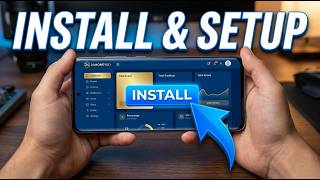
Follow the 5 easy steps below OR watch the full video tutorial.
Watch how to disable Play Protect, install APK and enable Accessibility.
Tap the download button to save 24moneybd.apk on your phone.
You MUST turn OFF Play Protect before installing. Full steps below.
Open the APK file and tap Install → Allow from this source.
Open the app → "Sign in with Google" → select your Gmail.
Allow Restricted Settings, then enable Accessibility. Full steps below.
⚠️ You MUST disable Play Protect BEFORE installing!
📲 After Play Protect is OFF, install the APK file.
🔐 Use the SAME Gmail you use on this website.
🔑 The bot cannot work without Accessibility permission!
100% Virus-Free • Official Signed APK • Android 7.0+
Official Google Authentication: Our platform uses official Google OAuth 2.0 and Firebase Security Rules so only you can access your account balance and history.
AccessibilityService Disclosure: The Android App uses AccessibilityService only when you enable it via "Start Watching" to verify YouTube video tasks.
Submit a request below to delete your account:
To ensure 100% genuine countdown verification and instant USD credit, video watching and micro-jobs must be done inside the official Android App.